

AI Vision to Reality: Virtual Room Planner with AI Suggestions
Navigating the world of virtual room planners with AI suggestions can be complex. Find the perfect tool that matches your budget and project scope to truly transform your space.

What is an AI Virtual Room Planner and Why Use One?
What is an AI Virtual Room Planner and Why Use One?
While many assume AI room planners simply offer trendy decor ideas, their true power lies in bridging a fundamental human gap: visualizing spatial changes *before* committing. An estimated 80% of Canadian homeowners, from condo owners in Vancouver to semi-detached residents in Halifax, find it difficult to picture how a space will look after renovation, according to HomeAdvisor data. A virtual room planner with AI suggestions directly addresses this, using artificial intelligence to analyze uploaded room photos or floor plans and generate specific design concepts, furniture layouts, and decor recommendations tailored to your actual space. This capability transforms abstract ideas into tangible visuals, significantly reducing the guesswork. This pre-visualization isn't just convenient; it's remarkably efficient. Industry estimates suggest AI in design can reduce project planning time by up to 30% by automating ideation and layout suggestions. Instead of spending hours second-guessing paint swatches, tools like iDecorAI offer a clear starting point, presenting cohesive looks. This efficiency drives a market projected to reach $6.8 billion by 2030, reflecting a clear demand for these visualization tools. Moving from a blank slate to a compelling design concept can feel overwhelming, especially for renters or those with tight budgets. An AI room planner simplifies this by providing a structured path, helping you navigate choices with confidence. Understanding how these tools work is the first step toward transforming your home.Choosing the Best AI Room Planner for Your Budget and Needs
Choosing the right virtual room planner with AI suggestions can feel like navigating a maze, especially with so many options promising to transform your space. The real trick isn't just finding a tool, but finding one that truly matches your budget and project scope, whether you're planning a full basement renovation in Calgary or just a quick refresh for a rental apartment in Montreal. Many homeowners struggle to visualize changes, with industry reports suggesting that roughly 80% find it difficult to imagine a space post-renovation.
| Feature/Aspect | Free AI Room Planner (e.g., RoomGPT, Planner 5D Free) | Paid/Advanced AI Room Planner (e.g., Homestyler, iDecorAI) |
|---|---|---|
| Cost | Free, often with limited features or watermarks. | Subscription-based (e.g., $10-30 CAD/month), full feature access. |
| Visualization | Basic 2D layouts, simpler 3D renders. | High-fidelity 3D renders, VR/AR capabilities, detailed lighting. |
| Furniture Library | Smaller, generic furniture options. | Extensive, brand-specific items, customizable dimensions. |
| AI Suggestions | Basic style prompts (e.g., "modern," "minimalist"). | Contextual style recommendations, material pairings, colour palettes. |
| Photo Upload | Often basic, sometimes limited to specific angles. | Robust photo-to-3D conversion, multiple angles supported. |
"I've seen so many people pay for a tool they barely use because the free version would have been enough for their one-off project. Test first, always." — interior design student, Vancouver
Before committing to any paid service, test out free versions like RoomGPT or the free tier of Planner 5D. This helps you assess the user interface and the quality of AI recommendations for your specific needs, such as visualizing new living room furniture in a small Toronto condo. Matching the tool to your actual project, not just its flashy features, ensures you get the most value.
Step-by-Step: Generating and Refining AI Room Suggestions
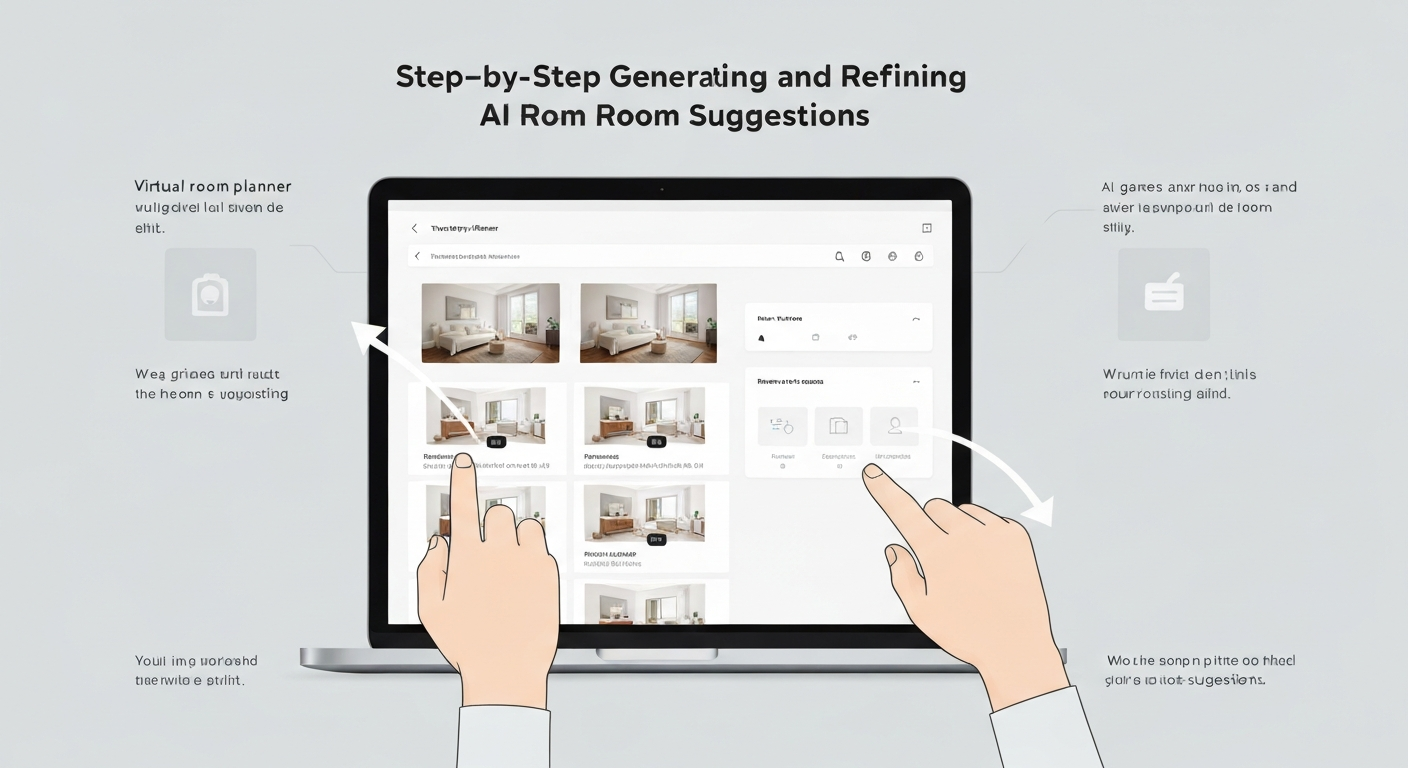
While AI room planners offer incredible visualization, truly personalized results depend on your input. This guide shows you how to generate and refine AI-powered room suggestions for your home.
Step 1: Prepare Your Space & Photos
Declutter and ensure good lighting. Take clear, straight-on photos from multiple angles, capturing all walls. For a Toronto condo, this ensures optimal AI analysis.
Step 2: Input Your Preferences
Upload photos, then specify your desired style (e.g., "Scandinavian aesthetic"), colour palette, and must-have furniture. Tools like iDecorAI add specific AI decor ideas.
Step 3: Generate Initial Concepts
The AI room layout generator with furniture produces initial concepts. Review concepts for promising directions, like a perfectly placed dining table, or creative potential.
Step 4: Refine and Iterate
Provide feedback: "Move the armchair closer," or "Try a lighter wood." Experiment with rugs. This iterative process adapts designs for unique spaces, like fitting a sectional in a semi-detached living room.
"I used to spend hours moving furniture around, only to realize nothing worked. Now, I can try ten layouts in minutes and know what *won't* fit before I even lift a finger." — Homeowner, Halifax
Step 5: Save and Export
Save your favourite designs. Export high-resolution images or 3D models. These visuals are invaluable for shopping, discussions, or sharing with a contractor for a Vancouver townhouse project.
Following these steps guides the AI from a blank canvas to a refined vision. This iterative approach ensures the AI-generated design reflects your style and needs, preparing you to bring it to life.
How Can You Translate AI Designs into Reality: Practical Implementation Tips
How Can You Translate AI Designs into Reality: Practical Implementation Tips
The biggest hurdle after using a virtual room planner with AI suggestions isn't generating great ideas; it's making them real. Translating those stunning digital mock-ups into your actual space needs practical steps, preventing expensive mistakes.
First, start with precise measurements. Grab a tape measure and sketch your own floor plan, noting windows, doors, and outlets. Cross-reference this physical layout with the AI layout's dimensions. If an AI suggests a 90-inch sofa for a Toronto condo living room, ensure it fits both the wall and through the building's entrance.
Next, source items smartly, keeping budget top of mind. While major retailers like IKEA and Leon's offer accessible options, explore local consignment shops in neighbourhoods like Vancouver's Main Street for unique finds. Online, Canadian platforms such as Wayfair.ca or Structube can help you match specific styles from your AI decor ideas for living room.
Consider a phased approach. Instead of buying everything at once, start with one or two key pieces, like a new area rug or a suggested accent chair. This builds confidence, showing how colours and textures appear in your home. For tasks like painting, DIY saves money, but for complex installations, hiring a local professional prevents costly errors and ensures a polished finish.
By breaking down the project and verifying every detail, your AI-inspired vision can become a tangible, beautiful reality, without overwhelming your budget or your weekend.
Budgeting for Your AI-Inspired Room Refresh (and Saving Money!)
It’s easy to look at a stunning, AI-generated room design and assume it comes with a designer price tag. Yet, a virtual room planner with AI suggestions can be your strongest ally in saving money, not just spending it. Before you buy a single item, use AI to optimize your budget and avoid costly mistakes.
These figures highlight the need for smart spending. Your AI decor ideas for living room might suggest a pricey custom sofa. Prioritize: what’s a ‘must-have’ versus a ‘nice-to-have’ that can wait?
"I used to get overwhelmed by all the options online. My virtual planner showed me what was possible, then I used its suggestions to hunt for sales and used pieces that matched the look. It saved me hundreds." — home renovator, Calgary
Save money with DIY projects, upcycling existing furniture, or shopping sales at places like Leon's or Structube. Many AI tools help compare prices or find similar-looking items at different price points. Always build in a 10-15% buffer for unexpected costs. Smart budgeting, guided by AI, ensures your refreshed space brings joy, not financial stress.
How Can Renters and Small Spaces Benefit from AI Room Planning?
Adapting AI Designs for Renters and Small Spaces
For many renters and those in compact Canadian homes—think a bachelor apartment in Montréal or a small townhouse in Calgary—a virtual room planner with AI suggestions isn't just a convenience; it’s a critical tool. While a 2023 Rent.com survey showed over 60% of renters desire personalized spaces, they often face strict lease agreements limiting permanent changes. AI can help visualize temporary transformations.
This means exploring options like removable peel-and-stick wallpaper for an accent wall, or freestanding storage units such as an IKEA KALLAX system, rather than built-ins. Command strips become your best friend for hanging art.
"AI lets my tenants see how a space can feel fresh without risking their damage deposit. It's about smart, temporary design." — Property Manager, Vancouver
For smaller rooms, AI excels at testing multi-functional furniture, like a sofa bed for a guest room or a wall-mounted desk that folds away. It can quickly show how vertical storage solutions, such as tall, narrow bookshelves, enhance perceived space without physically moving items. A virtual room planner with AI suggestions allows you to experiment with different furniture scales and arrangements, ensuring any 'AI decor ideas for living room' are lease-friendly and easily reversible. This way, you can achieve a personalized look for your apartment or condo without commitment.
AI empowers you to confidently adapt design suggestions to your specific rental restrictions or space constraints, turning abstract ideas into practical, temporary solutions before you buy a single item.
Integrating Your Personal Style with AI Recommendations & Common Mistakes to Avoid When Using AI for Room Planning
Integrating Your Personal Style with AI Recommendations
The true trick to using a virtual room planner with AI suggestions isn't just generating beautiful images; it's preventing them from turning your unique home into a generic showroom. Many homeowners, roughly 60% according to industry estimates, worry about creating impersonal spaces when relying heavily on design tools. Start by identifying your existing, beloved pieces – perhaps a mid-century modern credenza in your Toronto living room or a cherished family quilt. These elements are your design anchors.
AI tools, like iDecorAI, offer fantastic starting points, but they don't know the exact light in your north-facing Vancouver condo. A common pitfall is misjudging furniture scale or how colours truly appear. What looks like a vibrant blue on screen can be muted in real light.
"AI gave me a stunning layout, but it didn't know my grandmother's armoire needed a spot in the primary bedroom." — Homeowner, Edmonton
Always get physical samples of paint (e.g., Benjamin Moore's 'Silver Satin') and fabric. Hold them in your actual room, at different times of day. This is how you blend AI's efficiency with real-world practicality. Ultimately, trust your own comfort and style. The AI provides possibilities; you curate the final, personal space that genuinely feels like home, avoiding a look that feels bought straight from a catalogue.
Frequently Asked Questions
What are the benefits of using an AI virtual room planner?
AI virtual room planners offer significant benefits by letting you visualize design ideas before committing. You can experiment with different furniture arrangements, colour palettes, and decor styles virtually, saving time and avoiding costly mistakes. For instance, seeing how a large sectional from Structube fits into your small condo living room in Vancouver helps prevent a bad purchase. This pre-visualization ensures your choices align with your space and personal aesthetic, making the design process more efficient and less stressful.
Is there a free AI room design tool that actually works?
Yes, several free AI room design tools offer basic functionality, though often with limitations on features or design options. Programs like Planner 5D or Homestyler provide free tiers for simple layouts and furniture placement. Some tools, including iDecorAI, might offer a limited number of free renders or design suggestions to get you started. These are excellent for initial brainstorming or testing a single idea for a bedroom in a Halifax bungalow, helping you visualize changes without any upfront cost.
How can I get AI to suggest furniture layouts for my room?
To get AI to suggest furniture layouts, typically you upload photos or a floor plan of your room, input its dimensions, and specify your preferred style or functional needs. The AI then processes this information, generating various layout options optimized for your space. For example, you could upload images of your rectangular family room in a Calgary semi-detached home and request layouts that maximize seating or create a distinct play zone for children, receiving multiple visual suggestions.
What are practical tips for implementing AI room designs in my home?
Implementing AI room designs successfully requires practical steps. Always measure your actual space meticulously, then use painter's tape on the floor to mark out furniture footprints from the AI plan. Test paint colours with swatches on your walls in different lighting conditions, like in a kitchen in St. John's. Remember, AI provides a blueprint; adapt it to your existing elements and personal comfort, ensuring the virtual vision translates well into your real home and lifestyle.
Can AI room planning help me save money on decorating?
Absolutely, AI room planning can significantly save money on decorating. By visualizing layouts and styles virtually, you avoid purchasing furniture or paint colours that don't fit or clash with your space, preventing expensive returns or re-dos. For instance, an AI tool can show you if that oversized dining table from Leon's will actually fit in your small condo dining area in Montreal, saving you from a costly mistake. This upfront planning leads to more informed, budget-friendly decisions.
Frequently Asked Questions
What are the benefits of using an AI virtual room planner?
Is there a free AI room design tool that actually works?
How can I get AI to suggest furniture layouts for my room?
What are practical tips for implementing AI room designs in my home?
Can AI room planning help me save money on decorating?
Keep reading
All articles →
Visualize Your Dream Home: Zillow AI's Reality Check & How to Master It
Zillow's new AI tool goes beyond staging, democratizing the 'designer's eye' for house hunters. It allows you to test personal style against a property's bones, fundamentally shifting how you visualize your dream home.

Real-World Test: We Tried 13 AI Interior Design Tools So You Don't Have To (Here Are Our Top 3 Picks!)
The sheer volume of new AI interior design tools often complicates the design process for homeowners. Our Real-World Test of 13 platforms reveals which truly deliver actionable, budget-friendly plans.

Dream Home on a Budget & Timeline: AI for Faster, Affordable Redesigns
While many assume a personalized dream home requires a hefty budget, AI tools are fundamentally shifting this reality, acting as a personal project manager for your entire redesign. They provide a step-by-step blueprint that optimizes every phase, making your dream home a tangible goal.