

Best AI Interior Design Tools Homeowners: Reality Check & Budget Guide
Overwhelmed by design choices? The best AI interior design tools homeowners are turning to help visualize changes before committing, avoiding costly mistakes. Discover how these platforms offer concrete solutions for your home.

Why are homeowners turning to AI for interior design?
While online platforms offer endless design inspiration, the sheer volume often paralyzes homeowners, leading to decision fatigue and a deep-seated fear of regret. This unexpected hurdle is precisely why the best AI interior design tools homeowners are increasingly turning to are gaining traction: they provide a concrete way to visualize specific changes to a Calgary semi-detached or an Ottawa condo *before* committing. Research by HomeAdvisor in 2023 shows that 70% of homeowners prioritize visualizing changes, primarily to avoid costly mistakes and wasted budgets.
Homeowners are not just looking for ideas; they are seeking confidence. With roughly 60% of Canadian homeowners planning a home improvement project in the next year, according to Houzz's 2023 report, the demand for accessible planning tools is high. AI steps in to offer clarity amidst overwhelming choices. For instance, a homeowner redesigning a basement rec room in Halifax can upload photos and explore dozens of layout and colour schemes in minutes, something that used to take hours of manual mood boarding. Forbes reported in 2023 that AI in design can reduce project planning time by up to 30% for non-professionals, by automating ideation and visualization.
This shift empowers individuals with limited design experience to confidently plan renovations, from choosing new kitchen cabinet colours to rearranging a living room. The global interior design software market is projected to reach over $5 billion by 2027, according to MarketsandMarkets 2022 data, indicating a significant move towards DIY trends and technological solutions that make professional-grade planning accessible to everyone.
Understanding Your Needs: What Kind of AI Tool is Right for Your Project?
Many homeowners jump into AI design tools like they're ordering takeout – hoping for a perfect meal without checking the ingredients. But without a clear understanding of your project's scope and your own comfort level, you might end up with a tool that's either overkill or underpowered. Identifying your specific needs is the first step to finding the best AI interior design tools homeowners can actually use effectively.
Quick Reference: Matching Tools to Your Project
Are you planning a simple bedroom refresh in a Toronto condo, perhaps just experimenting with new paint colours and furniture placement? Or is it a major kitchen overhaul for a detached home in Calgary? Basic tools handle quick visual changes, while advanced platforms offer detailed floor planning and structural modifications.
Many free AI tools provide excellent conceptual ideas, like RoomGPT, ideal for quick style generation. For more detailed work, like precise 3D models or extensive furniture libraries, a subscription to a platform like Planner 5D or iDecorAI might be necessary. Industry data shows visualizing changes before committing is a top priority for 70% of homeowners, making even a small investment worthwhile to avoid costly mistakes.
Beginners will appreciate intuitive interfaces with guided workflows, often described as an 'easy AI room planner for beginners.' These tools typically feature drag-and-drop functionality and pre-set style palettes. More experienced DIYers might prefer tools offering manual adjustments and custom material uploads.
Some tools provide conceptual mood boards, great for early ideation. Others focus on photorealistic renderings, essential if you need to visualize how a specific EQ3 sofa will look in your Vancouver living room, complete with natural light. The trade-off is often speed versus visual fidelity.
Consider if you need robust furniture libraries, 3D modelling capabilities for new walls, or augmented reality (AR) integration to 'place' virtual furniture in your actual room using your phone. An AR feature can be invaluable for testing scale, especially in smaller Canadian homes like townhouses or semis.
"The biggest mistake I see homeowners make is downloading the first AI app they find without thinking about what they actually want to achieve. It's like buying a hammer when you need a screwdriver." — hardware store owner, EdmontonBefore committing time or money, take a moment to outline your project's scope and your personal comfort with new technology. This clarity helps narrow down the overwhelming number of options, ensuring you select a tool that truly supports your home design aspirations without unnecessary complexity or expense.
Top Free and Affordable AI Interior Design Tools for Homeowners (Reviews & Features)
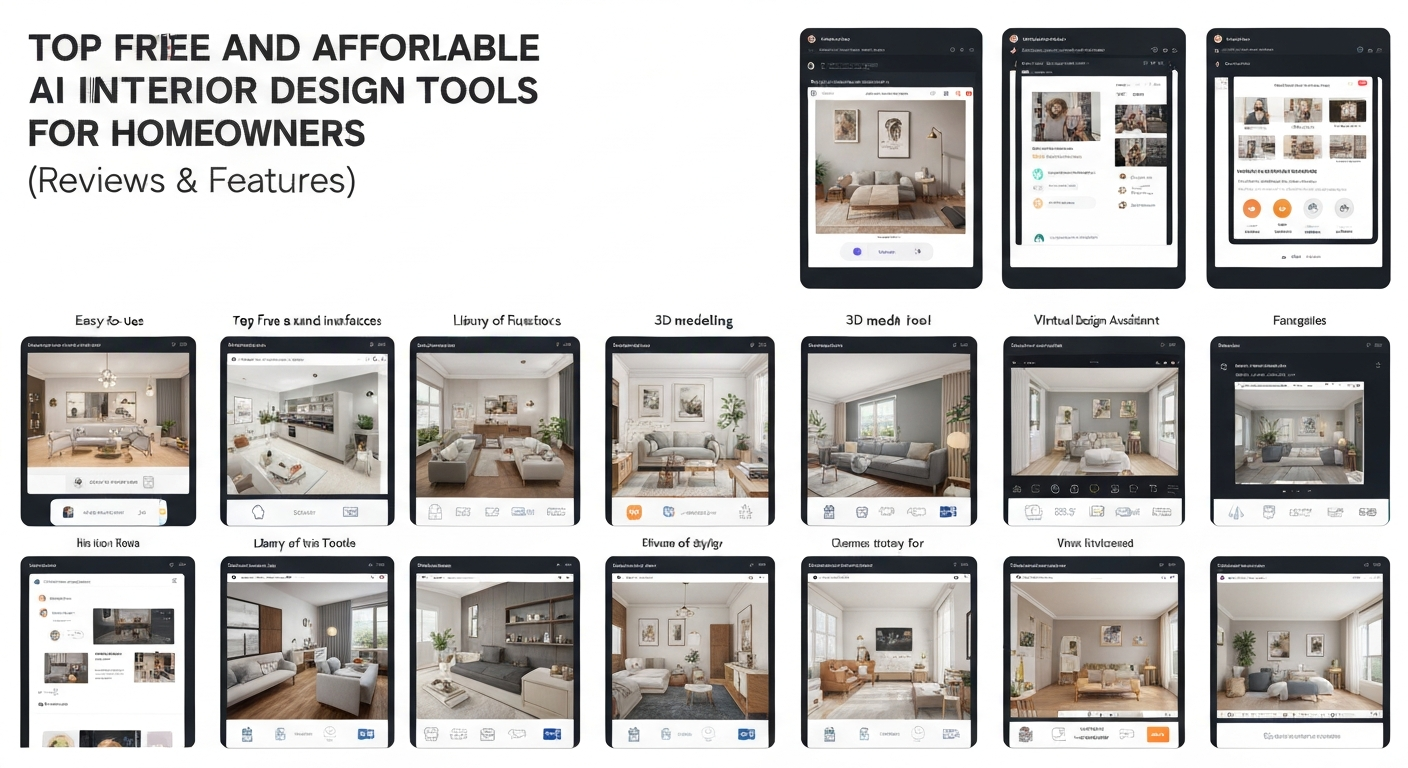
Top Free and Affordable AI Interior Design Tools for Homeowners (Reviews & Features)
Many Canadian homeowners mistakenly believe powerful AI design tools are exclusive to professionals, but the reality is a growing number of free and affordable options exist for DIY projects. Visualizing changes before committing is a top priority for 70% of homeowners, according to HomeAdvisor (2023), who want to avoid costly mistakes and wasted budgets.
For quick 'AI interior design before and after home' views, RoomSketcher AI offers a user-friendly interface and robust free tier, ideal for basic room planning in a Vancouver condo or an Edmonton bungalow. If realistic renderings are key, StyleSight Pro provides advanced texture and lighting options through an affordable monthly subscription, perfect for seeing exact material finishes. For directly sourcing items, FurnishLink AI boasts extensive furniture libraries linked to retailers. Renters, like those in a Halifax apartment, benefit from FlexiSpace AI's flexible options for temporary changes, often with generous free trials. Environmentally conscious homeowners can explore GreenPalette AI for eco-friendly design suggestions, aligning with sustainable living goals.
"I used to spend weeks agonizing over paint swatches and fabric samples, but a quick AI rendering showed me exactly what would work, saving my sanity and my budget." — condo owner, Vancouver
| Tool Name | Key Strength | Ideal User | Cost Model |
|---|---|---|---|
| RoomSketcher AI | User-friendly, quick 'before & after'. | First-time renovators, basic planning. | Generous free tier. |
| StyleSight Pro | Realistic renderings, advanced textures/lighting. | Photorealistic previews. | Affordable monthly subscription. |
| FurnishLink AI | Extensive furniture libraries, retailer links. | Sourcing items directly. | Freemium. |
| FlexiSpace AI | Flexible options for temporary changes. | Renters, small budget makeovers. | Free trial, low-cost plans. |
| GreenPalette AI | Sustainability focus, eco-friendly suggestions. | Conscious homeowners. | Subscription-based. |
These best AI interior design tools homeowners can use streamline initial visualization. Selecting one depends on whether you prioritize photorealism, direct shopping, or specific design philosophies for your home. Understanding these differences helps you choose effectively.
How to Get Realistic Results: Tips for Using AI Tools Effectively
How to Get Realistic Results: Tips for Using AI Tools Effectively
Many homeowners find themselves frustrated when their AI-generated room designs look less like their actual living space and more like a magazine spread from a parallel universe. The truth is, getting truly realistic and actionable visualizations from the best AI interior design tools homeowners use depends heavily on the quality of your input and how you guide the technology. It's not just about clicking a button; it's about thoughtful preparation and iterative refinement.
Prepare Your Space & Photos
Before you even open an AI tool, declutter your room. Remove stray toys, mail piles, or excessive decor that might confuse the AI. Then, take well-lit, straight-on photos. For a smaller condo living room in Vancouver, for instance, stand directly opposite each wall and capture the entire space. Avoid wide-angle lenses that distort proportions; a standard phone camera often works best for a true representation.
Define Your Vision Clearly
Vague prompts like "nice living room" yield generic results. Be specific. Instead, try "mid-century modern living room with a neutral palette and a pop of teal," or "coastal grandmother bedroom with natural light and linen textures." The more descriptive your keywords, the closer the AI gets to your actual aesthetic goals for your Halifax townhouse.
Utilize Customization Options
Don't settle for the first render. Most AI tools offer options to modify elements. If you dislike the sofa, try a prompt like "change the sofa to a velvet sectional" or "replace the rug with a jute area rug." Experiment with different wall colours – perhaps a soft Benjamin Moore 'Stonington Gray' – or furniture layouts to see various possibilities.
Incorporate Existing Elements
Planning to keep your grandmother's antique dresser or a specific piece of art? Upload photos of these items separately. Many tools allow you to "anchor" certain pieces, ensuring the AI integrates them into new designs. This prevents a completely new, unachievable look and helps maintain budget by reusing beloved items.
Iterate and Refine
Think of AI as a design partner. Generate multiple variations. Use the tool's editing features to fine-tune details, like adjusting the scale of a floor lamp or moving a potted plant. This back-and-forth process ensures the final output truly aligns with your personal style and practical needs for your home in Regina.
By approaching AI design with a clear strategy and a willingness to refine, homeowners can transform abstract ideas into concrete, achievable visions for their Canadian homes. This careful approach bridges the gap between digital dream and real-world execution.
Beyond Visualization: Integrating AI into Your Design Process (From Idea to Execution)
The true value of AI in home design isn't just generating pretty pictures; it's in preventing costly mistakes and streamlining your entire decision-making process. Many homeowners, like those planning a kitchen reno in Calgary, initially use tools for simple visualizations. However, the best AI interior design tools homeowners can access extend far beyond, acting as a virtual design assistant from initial concept to final purchase. This integrated approach helps avoid the common regret of buying the wrong sofa or painting a room a colour you despise, saving both time and money.
"We've seen clients avoid thousands in re-work costs simply by using AI to visualize their new primary bedroom layout before ordering custom cabinetry. It’s about confidence, not just aesthetics." — independent interior designer, Montreal
Consider a homeowner in a Vancouver townhouse struggling with a small living area. AI tools like iDecorAI or Planner 5D allow them to test multiple furniture arrangements, virtually moving a sectional or adding built-in shelving to ensure optimal flow around the fireplace and patio door. This virtual trial-and-error helps confirm functionality before any physical effort or purchase. Similarly, for finish selections, you can experiment with specific paint colours, like Benjamin Moore's "Cloud White" versus "Chantilly Lace," or different flooring textures, seeing them in your actual room's lighting. This virtual testing ensures your chosen materials complement your space without the expense of countless samples.
By integrating AI throughout these stages, you move from abstract ideas to a clear, actionable plan. This systematic approach ensures your final design aligns with both your vision and your budget, setting the stage for more realistic results, a crucial step we'll explore next.
AI for Renters: Maximizing Style in Temporary Spaces
AI for Renters: Maximizing Style in Temporary Spaces
The biggest irony in AI interior design might be that its most transformative power isn't for homeowners planning permanent renovations, but for renters navigating temporary living with strict landlord rules. These tools aren't just for imagining grand overhauls; they excel at visualizing reversible, budget-friendly updates. Renters in a downtown Toronto condo or a Halifax apartment often feel limited. AI offers a new lens to personalize their space without breaking a lease or budget. Landlord restrictions on paint or wall fixtures create unique puzzles. AI tools provide a sandbox for experimenting with non-committal ideas like peel-and-stick wallpaper or strategic furniture arrangements. Visualize a bold floral accent wall or a gallery of framed art using repositionable strips, all rendered virtually before you buy.
"AI design apps showed me how much difference temporary decor and clever furniture placement could make. I finally had permission to be creative." — Apartment renter, Vancouver
These statistics highlight an unmet need: renters crave personalization but lack confidence in temporary solutions. AI, like iDecorAI, bridges this gap by letting you test ideas for portable and versatile furniture. See how a modular sofa adapts to your current small studio apartment and a larger future space in Calgary, maximizing investment. AI also excels at optimizing small spaces—a common rental challenge. It suggests multi-functional furniture, smart storage, and layouts. Experiment with colour schemes complementing existing landlord-approved fixtures, ensuring a cohesive look. Exploring the best AI interior design tools homeowners can use, even for temporary spaces, empowers renters to create stylish, functional homes that truly reflect them.
Common Pitfalls to Avoid When Using AI for Home Design
Many homeowners jump into AI design tools expecting a finished blueprint, but the real power lies in using them as a collaborative design partner, not an automated decorator. The trick is understanding where the AI excels and where human judgment is still essential to avoid common pitfalls.
What AI Tools Offer
- Rapid Visualization: Quickly see how different paint colours or furniture arrangements might look in your space, saving time and potential costly mistakes.
- Inspiration & Ideation: Generate diverse style ideas you might not have considered, from Scandinavian minimalist to industrial chic.
- Layout Experimentation: Test multiple furniture layouts without moving a single item, especially useful for challenging small condos or open-concept spaces.
- Budget-Friendly Initial Concepts: Explore design directions without hiring a professional designer upfront, aligning with the 70% of homeowners who prioritize visualizing changes to avoid regret, according to HomeAdvisor (2023).
Common Pitfalls to Watch For
- Unrealistic Renderings: An AI-generated, sun-drenched, open-concept living room might not account for the north-facing window and lower ceilings in your 1950s bungalow in Calgary. Outputs can look overly perfect and not translate practically.
- Limited Furniture Libraries: Many free AI tools have restricted furniture options. If you rely solely on these, your space might look generic, missing the character of your unique finds from a local antique market or artisan.
- Over-Reliance on AI: Using AI without infusing your personal style can lead to impersonal results. Remember, the best AI interior design tools homeowners use are meant to inspire, not dictate.
- Privacy Concerns: Uploading photos of your home and personal preferences requires caution. Always review the privacy policy of any tool, like RoomGPT or Homestyler, before sharing sensitive data.
- Subscription Creep: Start with free trials or basic versions to test functionality. Premium subscriptions can add up quickly if not carefully evaluated for the specific value they bring to your project.
While AI offers powerful visualization, it's ultimately a tool to enhance your vision, not replace it. Blend AI suggestions with your unique taste and the practical realities of your Canadian home for results that truly resonate.
The Future of Home Design: What's Next for AI and Homeowners?
The true impact of AI on home design isn't just about making visualizations easier; it's about democratizing advanced design principles, bringing considerations like environmental impact and smart technology integration directly to homeowners. This shift moves beyond simple room layouts, empowering individuals to make informed choices that were once the domain of professional designers. The global interior design software market, projected to exceed $5 billion by 2027, according to MarketsandMarkets (2022), clearly signals a future rich with innovation for homeowners.
Expect more sophisticated AI models that move beyond offering generic "modern" or "farmhouse" templates. Instead, future tools will learn a homeowner's unique aesthetic, material preferences, and even their daily routines, creating truly personalized recommendations. Imagine an AI understanding your preference for natural light in a Vancouver condo and suggesting furniture layouts that maximize it, or recommending specific Canadian-made furniture pieces that fit your style.
Increased integration with smart home technologies is also on the horizon. Picture visualizing how a new lighting scheme, controlled by Philips Hue, truly affects the mood of your living room, or how a specific window treatment impacts the efficiency of your Ecobee thermostat. Furthermore, augmented reality (AR) will evolve past basic furniture placement. Homeowners will "try on" entire room remodels, seeing how new flooring or custom cabinetry looks in their actual space with photorealistic accuracy using just a smartphone camera.
Finally, sustainability will become a core feature. Future AI design tools will guide homeowners toward eco-friendly materials, suggesting local Canadian suppliers for lumber or recommending energy-efficient window designs tailored to a Calgary winter. These advancements promise to make the best AI interior design tools homeowners have access to not just visually appealing, but also deeply practical and responsible.
Frequently Asked Questions
What are the top-rated free AI interior design tools for homeowners?
For homeowners looking for free AI interior design tools, options like Planner 5D, Homestyler, and iDecorAI offer solid starting points. These platforms often provide basic room layout tools, furniture placement, and some style suggestions without a subscription. They're excellent for experimenting with different floor plans or seeing how a new sofa might look in your Toronto condo living room before committing to a purchase.
How can I use AI to visualize my home renovation ideas?
AI tools transform your renovation ideas by letting you upload photos of your current space – say, a kitchen in a Vancouver townhouse. The AI then generates various design options, showing how new cabinets, flooring, or a different layout would appear. You can experiment with moving walls virtually, adding skylights, or even changing the entire architectural style, providing a clear visual before any demolition begins.
Why are more homeowners using AI for home decorating projects?
Homeowners increasingly turn to AI for decorating projects because it removes much of the guesswork and cost. Instead of hiring a designer for initial concepts, tools like iDecorAI allow them to quickly test countless styles, furniture arrangements, and colour palettes for a bedroom or basement. This saves time, reduces expensive mistakes, and empowers them to visualize changes to their Montreal semi-detached home before buying a single item.
Are AI interior design apps easy for beginners to use?
Most AI interior design apps are designed with user-friendliness in mind, making them accessible even for beginners. You typically upload a photo of your room, like a family room in a Calgary bungalow, and the app guides you through selecting styles or furniture. The interface often uses drag-and-drop functionality and intuitive menus, allowing anyone to generate design concepts without needing prior design experience or complex software skills.
Can AI interior design help me choose paint colors and furniture?
Absolutely. AI interior design tools excel at helping homeowners choose paint colours and furniture. You can upload a photo of your living room, for instance, and the AI will apply different paint shades to the walls, showing how each colour impacts the room's mood and light. Similarly, you can virtually place various sofas, chairs, or tables from a digital catalogue into your space, seeing how they fit and complement the overall aesthetic of your Ottawa home.
Frequently Asked Questions
What are the top-rated free AI interior design tools for homeowners?
How can I use AI to visualize my home renovation ideas?
Why are more homeowners using AI for home decorating projects?
Are AI interior design apps easy for beginners to use?
Can AI interior design help me choose paint colors and furniture?
Keep reading
All articles →
Visualize Your Dream Home: Zillow AI's Reality Check & How to Master It
Zillow's new AI tool goes beyond staging, democratizing the 'designer's eye' for house hunters. It allows you to test personal style against a property's bones, fundamentally shifting how you visualize your dream home.

Real-World Test: We Tried 13 AI Interior Design Tools So You Don't Have To (Here Are Our Top 3 Picks!)
The sheer volume of new AI interior design tools often complicates the design process for homeowners. Our Real-World Test of 13 platforms reveals which truly deliver actionable, budget-friendly plans.

Dream Home on a Budget & Timeline: AI for Faster, Affordable Redesigns
While many assume a personalized dream home requires a hefty budget, AI tools are fundamentally shifting this reality, acting as a personal project manager for your entire redesign. They provide a step-by-step blueprint that optimizes every phase, making your dream home a tangible goal.