

Instant Inspiration: Explore 30 Decor Styles in 1 Minute with Free AI Tools
AI interior design tools offer instant inspiration, allowing you to explore 30 distinct decor styles in about one minute using free platforms. This rapid visual tour helps overcome design overwhelm before committing to any single aesthetic.
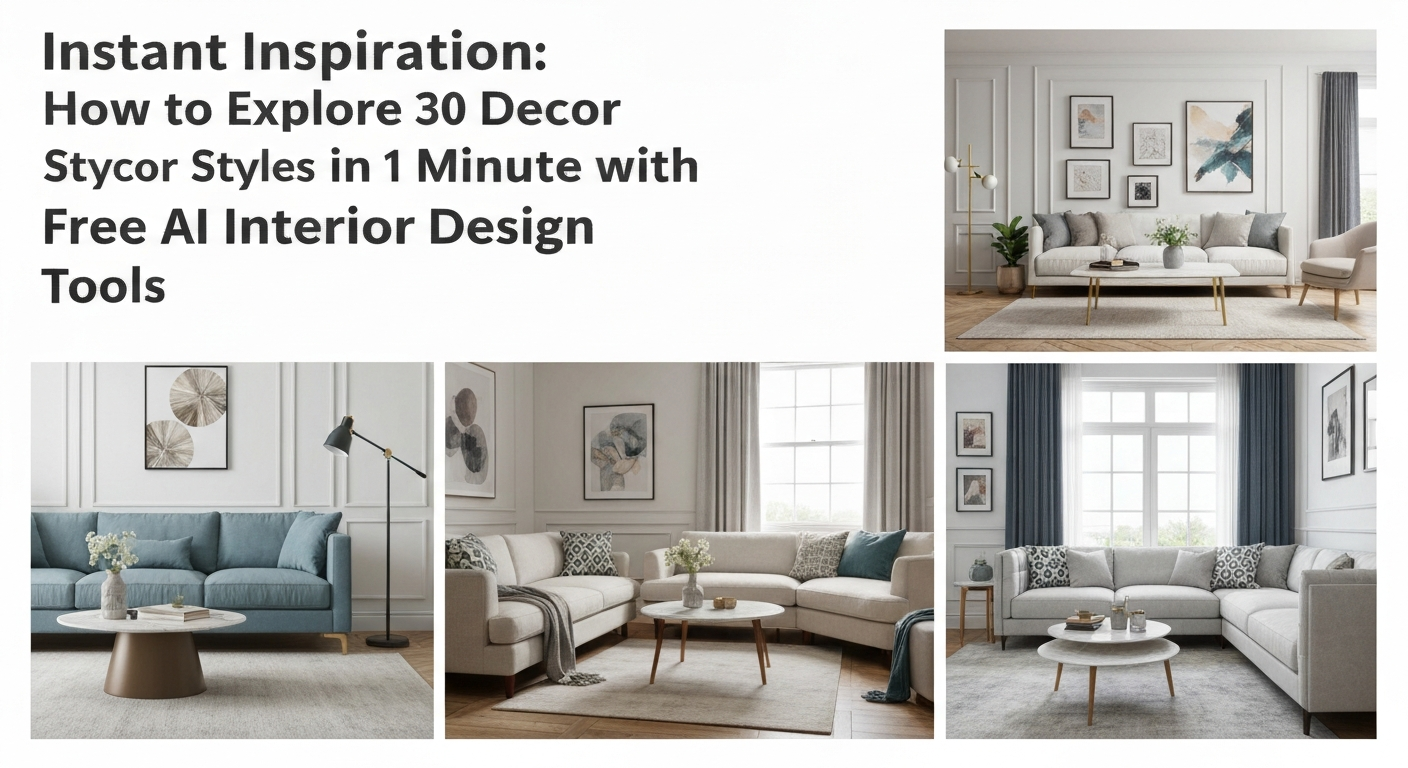
Instant Inspiration: How AI Makes Rapid Style Exploration Possible
Instant Inspiration: How AI Makes Rapid Style Exploration Possible
While many assume AI interior design tools are for detailed room renders, their true "instant inspiration" power lies in a rapid-fire "speed-dating" workflow: you can explore 30 distinct decor styles in about one minute by leveraging specific prompt techniques and efficient image generation from free platforms like iDecorAI. This approach directly counters the overwhelming feeling over 60% of Canadian homeowners report when starting a design project, offering a quick visual tour before committing to any single aesthetic.
Homeowners often spend 10-20 hours researching decor ideas for a single room, a process that used to involve flipping through magazines or endless Pinterest scrolls. AI condenses this dramatically. Imagine seeing your living room in Scandinavian, then Art Deco, then Maximalist, all within seconds. This rapid visualization helps identify preferences quickly, significantly reducing the "analysis paralysis" common in early design stages.
The global AI in interior design market is projected to grow with a compound annual growth rate (CAGR) exceeding 25% through 2028, reflecting this shift towards digital exploration. This growth is driven by the clear benefit: visualizing design changes before implementation can reduce costly mistakes by as much as 30%, according to industry estimates. AI tools offer a low-risk way to experiment, making them an invaluable pre-planning step for any renovation, from a small condo refresh in Vancouver to a full home makeover in Calgary.
"Before AI, I'd spend hours trying to explain a vision to clients. Now, we can cycle through a dozen styles for a kitchen renovation in minutes, and they instantly 'get it'." — Interior Designer, Montreal
This "speed-dating" method is not about perfecting a single design; it's about casting a wide net quickly to discover what truly resonates. The next step involves understanding which free tools are best suited for this rapid exploration and how to prepare your space for AI visualization.
Top Free AI Interior Design Tools for Instant Style Inspiration
Finding truly free AI tools that quickly generate diverse decor styles can feel like searching for a needle in a haystack. Many platforms offer impressive features behind a paywall, making the goal of exploring 30 decor styles in 1 minute seem out of reach. We've assessed several options to pinpoint those offering the best balance of speed, style variety, and ease of use without requiring a subscription.
Top Free AI Tools for Rapid Style Cycling
Excellent for quick room transformations. Upload your photo, then cycle through styles using dropdown menus. It's fast, often generating results in under 10 seconds, making it ideal for rapid comparisons. Focuses on common spaces like living rooms and bedrooms.
Offers a limited number of free renders daily but provides good style breadth. Upload an image, select a room type, and pick from about 10-15 distinct styles. While not as limitless as paid versions, its free options are high-quality for initial brainstorming.
A multi-purpose AI image tool with a dedicated interior design feature. Its strength lies in its versatility and customisation options, even in the free version. You can input text prompts for unique styles, which is key for generating less common looks quickly.
While primarily a 3D planning tool, its AI rendering feature allows for quick style application to uploaded room photos. The free tier gives a few renders, useful for seeing how styles like "Minimalist Nordic" or "Boho Chic" instantly transform a space.
This platform, like others, provides specific prompt suggestions that are vital for achieving nuanced styles.
Before you can speed-date decor styles, you need to set the stage. The secret to getting diverse, usable results from free AI interior design tools in under a minute lies in a clean starting point and the right platform choice. A clutter-free, well-lit photo of your actual room is non-negotiable for good AI results. Remove small items, toys, and excess furniture that might confuse the AI. Stand in a corner or doorway to capture as much of the room as possible, ensuring even lighting. Think about a typical Toronto condo living room: clear off the coffee table and bookshelf before you snap your shot. Industry data shows that high-quality input images improve AI visualization accuracy by up to 40%. Not all free AI tools are built for rapid style cycling. For "Instant Inspiration: How to Explore 30 Decor Styles in 1 Minute with Free AI Interior Design Tools," you need a platform known for quick renders and clear style options. Tools like iDesign.ai or RoomGPT often offer faster processing for their free tiers, letting you generate multiple styles without long waits. Prioritize tools with a straightforward interface that doesn't bury the style selection. Once you've picked your tool
After you've set up your room in a tool like Fotor or iDecorAI, the real challenge begins: generating 30 distinct decor styles in a minute. This isn't about deep analysis, but rapid-fire visual exploration to find what sparks your interest, addressing the common pain point of feeling overwhelmed by choices. Keep a list of 30 diverse decor styles handy. Think "Bohemian," "Minimalist," "Art Deco," "Coastal," "Mid-Century Modern," "Industrial," "Farmhouse," and so on. Having them typed out or in a quick-access document saves precious seconds during your "Instant Inspiration: How to Explore 30 Decor Styles in 1 Minute with Free AI Interior Design Tools" blitz. Input one style keyword at a time into your chosen AI tool. For example, type "Scandinavian living room" or "Boho bedroom." Don't overthink the prompt; the goal is speed. Tools often have a dedicated style input field, making this process even faster. Hit "generate" or "render" for each style. As soon as the image appears, take a quick mental note – does it appeal? Move immediately to the next style on your list. This isn't the time for detailed critiques; just a gut reaction. Industry data indicates homeowners spend an average of 10-20 hours researching decor for a single room, but this method drastically cuts that initial exploration. Once your AI tool starts generating designs, the clock is ticking for your minute-long style sprint. This phase is about rapid visual scanning and immediate reactions, not deep analysis. Studies show that users are more likely to engage with tools that offer immediate, diverse visual feedback, so trust your gut on what catches your eye. As designs appear, quickly look for the overall vibe. Is it bright, moody, minimalist, or cozy? Don't scrutinize details like cushion patterns or specific art pieces yet. Focus on the general aesthetic and colour palette. For example, does a "Bohemian Chic" living room feel instantly inviting, or does a "Mid-Century Modern" bedroom spark a sense of calm? Most free AI interior design tools, like RoomGPT or Homestyler's basic tiers, offer a quick save or download option. If a design resonates, even slightly, capture it immediately. For tools without a direct save, a quick screenshot (Cmd+Shift+4 on Mac, Print Screen on Windows) works just as well. The goal is to collect options, not critique them. This is a speed-dating exercise for decor styles. Resist the urge to zoom in and pick apart imperfections. If you find yourself thinking, "I like the layout but hate the rug," that's still a win—save it. You're building a gallery of initial inspiration, not committing to a final design for your Vancouver condo or Calgary semi-detached. Generating truly distinct decor styles with AI often means moving past generic requests like "modern living room." Many users feel overwhelmed by choices and struggle to visualize different interior styles AI free, especially without a clear prompt strategy. The trick is to combine specific elements into a powerful, descriptive prompt. Think of it as giving the AI a recipe, not just an ingredient list. An effective AI prompt typically combines three core components: the [Room Type], the [Decor Style], and [Key Elements/Mood]. For example, instead of "bedroom," try "cozy Scandinavian master bedroom with light wood accents and a sheepskin rug." This level of detail guides the AI to produce a more accurate and inspiring visual. Tools like iDecorAI or RoomGPT respond well to adjectives that convey texture, colour, and feeling, letting you explore 30 decor styles in 1 minute with more precision. Experimenting with these combinations quickly reveals the breadth of styles available. You might prompt for "industrial kitchen with exposed brick and black metal shelving" then immediately switch to "boho-chic dining room with rattan furniture and layered textiles." This rapid cycling is key to a speed-dating approach to decor inspiration. Mastering these prompt structures is essential for efficiently generating the diverse visuals needed for rapid style evaluation. Once you've honed your prompting skills, you're ready to dive into the actual 60-second blitz of generating and reviewing styles, which we'll cover next. Many homeowners wonder about the practicalities of using free AI tools for design, especially when aiming for rapid style exploration. Here are direct answers to common questions about maximizing your experience with platforms like iDecorAI, Fotor, or RoomGPT. Free AI tools offer strong visual starting points, but aren't substitutes for professional advice. They excel at concept generation for Canadian home types like a semi-detached in Calgary, showing how a Mid-Century Modern style might look. For material specifics or structural changes, consult a designer or contractor. Most free tools focus on overall style application. While you can prompt for "minimalist living room with a sectional sofa," specifying brand-name furniture or exact layouts is often beyond their free capabilities. Tools like iDecorAI allow more detailed room type prompts, but not specific product placement. Upload a clear photo of your room. Include existing elements you want to keep, like a brick fireplace in a Vancouver condo. Your prompts should then reference these: "Scandinavian style, keeping the existing brick fireplace." The AI will try to integrate them. Experiment with descriptive prompts. Instead of just "Boho," try "Bohemian with a touch of industrial, exposed beams, and muted colours." Free tools have a broad repertoire, but highly unique blends might require more iterations or a paid platform for advanced control. For quick style inspiration, tools like iDecorAI, RoomGPT, and Homestyler offer excellent free options. They allow you to upload a photo of your living room or bedroom and instantly visualize it in various aesthetics, from Scandinavian minimalism to rustic farmhouse. These platforms are particularly useful for Canadian homeowners looking to refresh a condo living space or a suburban family room without committing to expensive design consultations, providing immediate visual feedback on different colour palettes and furniture arrangements. Exploring numerous decor styles rapidly with AI involves uploading a photo of your existing space, like a kitchen or den, to a free tool. Then, you select from a dropdown menu or input a text prompt specifying different styles such as "Art Deco," "Bohemian," or "Industrial." The AI generates a new image in seconds for each style. By quickly cycling through these options, you can see how a Toronto semi-detached home's dining area transforms, allowing you to compare dozens of distinct looks in under a minute. AI tools offer instant visual validation, which is invaluable when you're unsure if a "Coastal Grandmother" look suits your Vancouver apartment or if a "Mid-Century Modern" aesthetic works in a Calgary bungalow. Instead of spending hours browsing Pinterest or physical showrooms, you get immediate, personalized mock-ups. This speed helps you quickly discard styles that don't resonate and focus on those that do, saving time and preventing costly design mistakes before buying any paint or furniture. Yes, many AI design tools allow you to refine and save your favourite decor ideas. After generating an initial style, you can often adjust elements like wall colour, flooring, or furniture placement using additional prompts or sliders. For instance, you might ask for a "Modern Farmhouse" look with "lighter wood tones" or "more plants." Most platforms, including iDecorAI, let you download or save these generated images to a personal gallery, making it easy to share with a partner or contractor for a renovation project in a Montreal townhouse. Effective prompts are specific and descriptive. Instead of just "modern," try "minimalist Scandinavian living room with natural light" or "industrial loft with exposed brick and leather." For a more traditional feel, use "Victorian study with dark wood and rich textiles." You can also combine elements, like "Bohemian bedroom with a touch of art deco." Adding details like "for a small Toronto condo" or "with a view of the Rockies" helps the AI tailor the output to a specific Canadian context and desired ambiance. Zillow's new AI tool goes beyond staging, democratizing the 'designer's eye' for house hunters. It allows you to test personal style against a property's bones, fundamentally shifting how you visualize your dream home. The sheer volume of new AI interior design tools often complicates the design process for homeowners. Our Real-World Test of 13 platforms reveals which truly deliver actionable, budget-friendly plans. While many assume a personalized dream home requires a hefty budget, AI tools are fundamentally shifting this reality, acting as a personal project manager for your entire redesign. They provide a step-by-step blueprint that optimizes every phase, making your dream home a tangible goal.Step 1: Prepare Your Canvas & Select Your AI Platform

Clear the Room for the Camera
Choose Your AI Speed Machine
"The biggest time-sink isn't the AI generating, it's me fumbling through complex menus. Simple interfaces win every time for quick ideas." — Homeowner, Vancouver Island
Upload and Orient Your Space
Step 2: The 60-Second Blitz – Generating 30 Decor Styles
Prep Your Style List
Rapid-Fire Prompting
Generate and Glance
Step 3: Rapid Evaluation & Initial Selection
Scan for First Impressions
Screenshot or Save Instantly
Avoid Overthinking
Mastering Prompts for Diverse Decor Styles
Beyond the Minute: Refining, Saving, and Maximizing Free AI Tools
Beyond the Minute: Refining, Saving, and Maximizing Free AI Tools
The initial rush of seeing dozens of styles appear for your living room, perhaps an unexpected Art Deco kitchen or a minimalist Scandinavian bedroom, is just the start. After using AI room design to explore multiple styles for free, you'll want to organize your favourite outputs. Create simple digital mood boards using tools like Pinterest or even a dedicated folder on your computer to save screenshots, making it easy to compare a rustic farmhouse dining area against a sleek industrial loft look. This focused approach helps you move past the "speed-dating" phase into a more committed design vision for your Canadian home.
Understanding the limitations of free AI tools is crucial for effective long-term use. While excellent for initial inspiration, many free platforms, like iDecorAI's free tier or RoomGPT, often impose daily render limits (e.g., 5-10 images per day) or cap image resolution. This means your initial rapid exploration might yield lower-resolution images, which are perfect for quick evaluation but less ideal for detailed planning. Industry data indicates that visualizing design changes before implementation can reduce costly mistakes by up to 30%, making even low-res images valuable for early decision-making.
Refining your chosen styles requires more specific prompting. Instead of just "modern," try "modern Scandinavian living room with natural wood accents and a grey sofa." If you love elements from two different AI-generated images – say, the colour palette of a bohemian design and the furniture lines of a mid-century modern – try combining them in your next prompt: "mid-century modern bedroom with a bohemian rug and deep teal walls."
By systematically saving and refining
FAQs: Your Quick Guide to AI Decor Style Exploration
Quick Reference: AI Decor Style Exploration
Frequently Asked Questions
What free AI interior design tools are best for quick style ideas?
How can I explore 30 decor styles in just one minute with AI?
Why should I use AI for instant interior design inspiration?
Can AI interior design tools help me refine and save decor ideas?
What are effective prompts for diverse decor styles in AI design?
Frequently Asked Questions
What free AI interior design tools are best for quick style ideas?
How can I explore 30 decor styles in just one minute with AI?
Why should I use AI for instant interior design inspiration?
Can AI interior design tools help me refine and save decor ideas?
What are effective prompts for diverse decor styles in AI design?
Keep reading
All articles →
Visualize Your Dream Home: Zillow AI's Reality Check & How to Master It

Real-World Test: We Tried 13 AI Interior Design Tools So You Don't Have To (Here Are Our Top 3 Picks!)

Dream Home on a Budget & Timeline: AI for Faster, Affordable Redesigns