

How to Choose an AI Interior Designer: Your Perfect Matchmaking Guide
Don't assume the most advanced AI interior design tool is always best. True value lies in how well a tool's features align with your specific design problem, not just hyper-realistic renders.

What Do You Need AI For in Your Interior Design Project?
Why AI is Your Design Project's Secret Weapon
When considering how to choose an AI interior designer, many homeowners overlook that the most significant value isn't necessarily a perfect final render, but the ability to *fail cheaply and quickly* during the ideation phase. For instance, a renter in a Vancouver condo can use an AI tool like iDecorAI to virtually test dozens of non-permanent wall decor ideas or furniture arrangements in minutes, avoiding the 10-15 hours an average homeowner spends researching designs. This iterative exploration significantly reduces initial design phase costs by up to 30-50% compared to traditional trial-and-error, making design accessibility its true strength. AI design tools tackle the pain point of uncertainty head-on. They allow you to visualize drastic room refreshes—say, transforming a dated kitchen in a 1970s bungalow in Calgary into a sleek, modern space—before spending a dollar on materials or labour. This crucial pre-visualization capability gives you confidence in your choices, whether you're exploring a bold bohemian aesthetic for a living room or a serene Scandinavian look for a bedroom. Beyond simply seeing your ideas, these tools streamline the entire design research process. Faced with an overwhelming number of choices, from paint colours to furniture styles, AI can quickly generate diverse options based on your input. This efficiency is why approximately 60% of Canadian homeowners already use digital tools for inspiration and planning, highlighting a strong demand for effective visualization solutions. Understanding these core benefits clarifies why you need an AI assistant, setting the stage for matching its capabilities to your project's specific demands.Essential Features: What to Look For in an AI Interior Designer
Essential Features: What to Look For in an AI Interior Designer
Many aspiring home decorators assume the most "advanced" AI interior design tool is always the best, fixating on hyper-realistic 3D renders. However, the true value often lies not in visual fidelity alone, but in how well a tool's core features align with your specific design problem—whether that's a quick layout sketch for a small condo or a detailed material plan for a full kitchen reno. Choosing wisely means looking past the flash to evaluate practical capabilities.
Start by considering visualization. Do you need a simple 2D floor plan to rearrange furniture in a downtown Toronto apartment, or a fully immersive 3D walkthrough to visualize a new kitchen extension in a suburban Calgary home? While over 75% of users prioritize realistic visualization, a simpler 2D tool can be more efficient for quick layout ideas, while advanced 3D renders are essential for understanding spatial flow and depth in larger projects.
Next, evaluate style generation and customization. Generic results are a common frustration. Look for tools that allow detailed input for your personal style—uploading mood boards, selecting specific colour palettes, or even defining textures like "distressed wood" or "polished concrete." This capability helps move beyond basic suggestions. Similarly, tools that excel in layout planning and furniture placement are invaluable. They can suggest optimal furniture sizes for a compact Vancouver townhouse or advise on traffic flow through an open-concept living area, addressing key spatial challenges.
Material and texture application also varies widely. Can the AI accurately represent Canadian maple hardwood, quartz countertops, or a specific wool rug? Realistic material rendering is vital for understanding how finishes will look and feel in your home. Also, consider integration and export options. Can you easily share designs with a contractor via PDF, or export them to other design software? Finally, ease of use is paramount for beginners. Industry data shows over 75% of users prioritize intuitive interfaces when selecting home design software. A tool like iDecorAI, for instance, focuses on a straightforward input process to make design accessible.
"I've seen so many clients get caught up in beautiful AI renders that just aren't practical for their budget or space. Functionality matters more than pure fantasy." — Interior Design Consultant, Vancouver
Understanding which features matter most for your project type can simplify your search for the right AI tool. This table outlines common priorities:
| Feature | Quick Room Refresh (e.g., paint, decor) | Major Renovation (e.g., kitchen, bath) | Concept Exploration (e.g., mood board) |
|---|---|---|---|
| 2D/3D Visualization | Medium (2D often sufficient) | High (3D for realism) | High (visualizing ideas) |
| Style Customization | High | High | High |
| Layout Planning | Medium | High | Low |
| Material Realism | Medium | High | Medium |
| Ease of Use | High | Medium | High |
This breakdown shows that while style customization is universally important, the emphasis on visualization depth, layout, and material realism shifts significantly based on the project's scope.
Carefully evaluating these essential features is the first step in understanding how to choose an AI interior designer that truly fits your needs, moving you closer to a functional and beautiful space rather than just a pretty picture. Next, we'll explore how your budget impacts your choices between free and paid options.
Free vs. Paid: Budgeting for AI Interior Design Tools
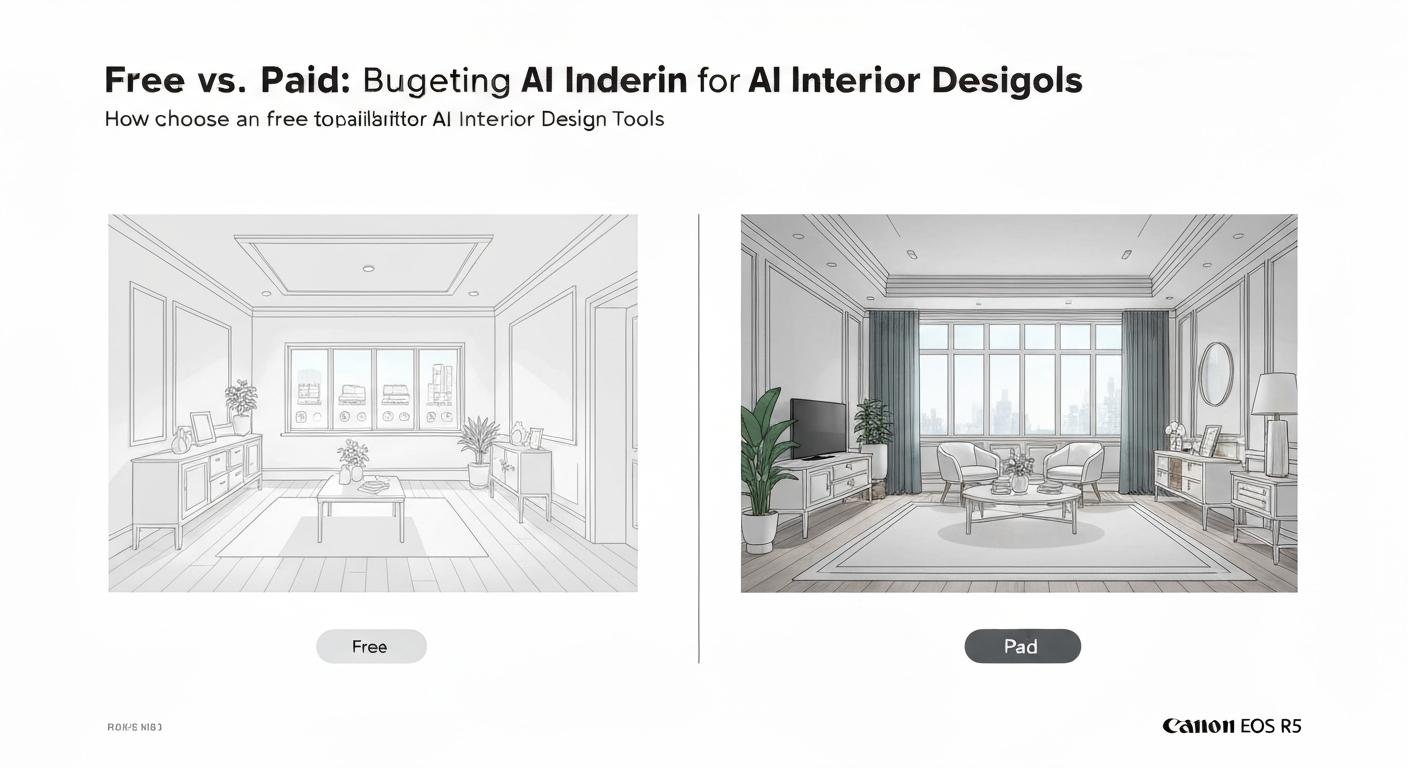
Many homeowners jump into AI design tools without first assessing if a free trial or a paid subscription best fits their budget and project scope. Choosing the right financial commitment is as critical as picking the right aesthetic when you're figuring out how to choose an AI interior designer. Your design goals, whether a simple room refresh or a full home renovation, should dictate your investment in these tools.
Understanding the core differences between complimentary and subscription-based AI tools helps align expectations with your design goals. Here’s how they typically compare:
| Feature/Aspect | Free AI Tools (e.g., initial tiers of iDecorAI, RoomGPT) | Paid AI Subscriptions (e.g., Midjourney, premium AI interior design platforms) |
|---|---|---|
| Project Scope | Simple room refreshes, quick inspiration, single-room visualizations. | Whole-house renovations, complex layouts, multiple rooms, commercial spaces. |
| Visual Quality | Basic 2D or lower-resolution 3D renders, often with watermarks. | High-resolution 3D renders, photorealistic images, no watermarks, detailed lighting. |
| Material/Style Library | Limited, common furniture styles and basic material textures. | Extensive, brand-specific items, custom textures, advanced style options (e.g., Coastal Pacific, Modern Farmhouse). |
| Advanced Features | Basic save/share options, limited design iterations. | Team collaboration, floor planning tools, advanced editing, mood boards, API access. |
| Best For | Renters, initial idea generation, small budgets, testing AI capabilities. | Homeowners, detailed renovation planning, professional-grade results, designers. |
Free tools offer a valuable entry point for quick exploration, but paid options deliver the depth and detail needed for serious design work.
Always use free trials fully. Test different styles for your living room, or see how a new paint colour looks in your condo before committing. For renters in Toronto's high-rise buildings, free tools are a godsend for visualizing temporary changes like furniture arrangements or removable wallpaper, without committing to costly software.
"I tell my clients to try out the free versions first, especially if they're just figuring out if AI even 'gets' their style. No sense paying until you know it clicks." — interior design consultant, Vancouver
Your project's scale dictates the investment. A simple bedroom refresh might only need a free tool, but a major kitchen reno in a family home in Calgary benefits from a paid service offering detailed renders and extensive material choices. This demand for more sophisticated planning tools drives the market, with industry reports projecting the global interior design software market to exceed $5 billion by 2028.
Aligning your budget with the tool's capabilities ensures you get the most value, whether you're exploring initial concepts or finalizing detailed renovation plans for your Canadian home.
A Step-by-Step Checklist for Choosing the Right AI Tool
Many homeowners assume choosing an AI design tool means sifting through endless feature lists, but the real challenge is rarely about the tool itself. Instead, the secret lies in a clear self-assessment: understanding your specific project, budget, and technical comfort *before* you even open a browser. This focused approach is key to finding the perfect digital design partner.
To help you navigate the growing market, here’s a practical, step-by-step checklist on how to choose an AI interior designer that genuinely fits your needs.
Define Your Project Scope & Goals
Are you simply seeking inspiration for accent colours in your Toronto condo living room, or are you planning a full kitchen renovation in a suburban Calgary semi-detached? Pinpointing whether you need minor tweaks or comprehensive layout changes (like moving walls) dictates the complexity of the AI tool required.
Assess Your Budget
Determine if a free, freemium, or paid subscription tool aligns with your financial comfort. AI-powered design tools can reduce initial design phase costs by 30-50% compared to traditional methods, according to recent tech industry analyses. Even a modest subscription can offer significant savings on professional consultation.
Evaluate Required Features
Cross-reference your project needs with a tool's capabilities. Over 75% of users prioritize ease of use and realistic visualization, according to recent user surveys. Do you need 2D floor plans, 3D renders, or specific material application? Tools like iDecorAI focus on realistic visual output, which is often a top priority.
"If the AI can't show me how that specific shade of green paint looks in my actual space, under different light, it's not helping me make a decision." — senior interior designer, Vancouver
Test User Experience (UX)
Utilize free trials to gauge how intuitive a tool's interface truly is. If you're a beginner planning a small bedroom update in Halifax, a complex professional CAD-style program will likely cause frustration. Look for clear prompts and straightforward navigation.
Review Output Quality
Examine the realism of generated images, the accuracy of material representations (e.g., how well it renders a specific type of Canadian maple hardwood or quartz countertop), and how closely the tool interprets your style prompts. Generic outputs often indicate a mismatch between your input and the tool's capabilities.
Consider Support & Community
For beginners or complex projects, active user communities, tutorials, or responsive customer support can be invaluable. Knowing you have resources for troubleshooting or learning advanced features can save considerable time and frustration.
By systematically working through these steps, you move beyond merely comparing features to actively matchmaking your unique design requirements with the AI tool best equipped to fulfill them. This ensures you invest your time in a solution that genuinely supports your vision, rather than overwhelming it.
Maximizing Your Results: Tips for Effective AI Prompting and Input
Many homeowners find themselves frustrated with generic AI design suggestions, not realizing the issue isn't always the tool itself, but how they communicate with it. Selecting the right AI interior designer is only half the battle; the other half is learning to 'speak its language' through effective prompting to achieve truly personalized outcomes.
Quick Reference: Effective AI Prompting
Avoid vague terms like "nice" or "modern." Instead, use precise adjectives and named styles: "mid-century modern living room, warm oak accents, minimalist clutter-free design," or "Scandinavian bedroom with light wood and cool grey tones."
Upload photos of your existing space, or inspirational images you've saved. Tools like iDecorAI can analyze these visuals, understanding your current layout and desired aesthetic much better than text alone. This is particularly helpful for tricky spaces like a narrow semi-detached kitchen.
Don't expect perfection on the first try. If the initial design is too dark, add "brighter lighting, natural light focus" to your next prompt. Adjust keywords, add details, or remove elements that aren't working until you get closer to your vision.
Some AI tools excel at generating furniture arrangements, while others are better for exploring colour palettes or material textures. Knowing what your chosen AI is best at helps manage expectations and guides your prompting. For example, not all tools accurately render specific Canadian lumber types.
Prioritize critical design elements in your prompts: the overall colour palette, desired furniture style (e.g., "streamlined, low-profile sofa"), and the room's mood ("cozy, inviting, functional family space"). Getting these right first creates a solid foundation.
Mastering these prompting techniques transforms AI from a generic suggestion engine into a powerful collaborative design partner. As one kindergarten administrator in Toronto noted,
"The AI gave me a dozen ideas for our staff room. The trick was telling it exactly what I meant by 'inviting, but easy to clean.'"By investing a little time in learning how to communicate effectively, you'll maximize your results, ensuring the AI designs truly reflect your personal taste and project needs, which is key when you're learning how to choose an AI interior designer that works for you.
Common Mistakes to Avoid When Selecting an AI Design Assistant
Many homeowners approach AI interior design tools like a magic lamp, expecting perfect, ready-to-implement solutions with minimal effort. However, the true value of these platforms emerges when users understand their limitations and align them precisely with their project's practical demands. Avoiding common pitfalls is often more impactful than simply chasing the "hottest" new AI tool.
Smart Approaches to AI Design
- Define Your Scope: Clearly outline your project needs, whether it's a simple colour palette refresh for a Toronto condo or a full basement renovation layout in Calgary.
- Match Tool to Skill: Pick user-friendly tools if you're a beginner, or commit to learning a more complex platform like iDecorAI if your project demands intricate detail.
- Set Realistic Expectations: Understand AI excels at visualization, not structural engineering or local building code compliance for your Ottawa townhouse.
- Test Drive First: Always utilize free trials from tools like Planner 5D or RoomSketcher to evaluate their interface and output quality before committing financially.
- Provide Specifics: Feed the AI detailed prompts (e.g., "mid-century modern living room with warm wood tones and a reading nook for a small semi-detached") for tailored results.
- Consider Rental Limitations: Prioritize AI tools that suggest non-permanent solutions if you're designing a rented apartment in Montreal (e.g., furniture arrangement, removable wallpaper).
Common AI Design Pitfalls
"I wasted a whole weekend trying to make a complex 3D tool work for a simple paint job. I should have just used a basic visualiser." — first-time renovator, Halifax
- Hype-Driven Selection: Choosing a tool based on viral social media posts rather than its suitability for your actual project, leading to frustration.
- Ignoring the Learning Curve: Underestimating the time needed to master advanced features, especially for complex 3D rendering tools, if you're only seeking basic ideas.
- Expecting Engineering Accuracy: Assuming AI-generated designs account for load-bearing walls, electrical outlets, or plumbing in your 1970s bungalow.
- Skipping Free Trials: Subscribing to a paid plan without confirming the tool's user experience or the realism of its generated images for your style.
- Generic Prompting: Providing vague input like "design my kitchen" and then feeling disappointed by the uninspired, generic suggestions received.
- Overlooking Renter Needs: Using tools that suggest permanent structural changes when you need flexible, landlord-approved design solutions for your apartment.
By consciously avoiding these frequent missteps, you can significantly enhance your experience when learning how to choose an AI interior designer. This proactive approach ensures your chosen tool becomes a genuine asset for visualizing your home's potential, rather than a source of wasted effort.
How Do AI Designs Translate to Real-World Interior Projects?
From Digital Vision to Tangible Space: Bridging the AI-Human Gap
AI-generated interior designs translate exceptionally well to real-world projects as a powerful source of inspiration and a visualization tool, though human expertise remains crucial for accurate execution.
An AI design tool like iDecorAI can render a stunning living room with an accent wall, but it won't know if that wall is load-bearing in your 1970s Toronto semi. Industry reports project the global interior design software market will exceed $5 billion by 2028, highlighting rapid adoption for initial planning. Yet, roughly 60% of homeowners still consult professionals for complex renovations, ensuring structural integrity and adherence to local building codes in places like Vancouver.
Think of AI outputs as a sophisticated blueprint for discussion. Present an AI-generated rendering to a contractor in Calgary or a professional designer in Halifax, saying, "This is the aesthetic I'm aiming for." They assess feasibility, recommend local materials, and refine the plan to meet your budget. This integration reduces initial design phase costs by a reported 30-50% compared to purely traditional methods.
"AI gave us a dozen fresh ideas for our small condo kitchen. It saved us weeks of searching, but our contractor was essential for fitting a new pantry into our existing layout." — Condo Owner, Ottawa
For renters, AI tools are particularly useful for visualizing temporary, landlord-friendly changes. Experiment with furniture arrangements or decor swaps in your St. John's apartment without committing to costly modifications. This helps maximize your space and personal style within lease constraints.
Ultimately, when you choose an AI interior designer, you're selecting a partner for ideation. The most effective approach blends AI's speed with human insight for the practical, code-compliant, and personal touches that make a house a home. This balance ensures your digital vision becomes a beautiful reality.
Frequently Asked Questions
Why use AI for interior design projects?
AI interior design tools like iDecorAI help homeowners quickly visualize different styles and layouts for their spaces without committing to costly changes. They can generate numerous design concepts based on user preferences, room photos, and specific needs, offering inspiration and practical ideas. This speed allows for extensive experimentation, helping Canadians explore various colour palettes, furniture arrangements, and material choices for their condos or family homes before making any purchases, streamlining the decision-making process significantly.
What features should I look for in an AI interior design tool?
Look for tools that allow direct photo uploads of your room, like iDecorAI, to generate realistic visualizations. Essential features include diverse style options (e.g., Scandinavian, industrial), furniture placement suggestions, and material palette recommendations. High-quality 3D rendering is key for understanding spatial flow, especially in smaller Canadian homes or open-concept layouts. The ability to refine designs with specific colours or textures, and to save multiple iterations, also enhances the user experience and practical application.
How do I choose the best AI interior designer for my needs?
To choose the best AI tool, first define your project scope: are you redesigning a single room or an entire home? Compare tools based on their feature sets, user interface, and pricing models. Some excel in specific styles, while others offer broader versatility. Read user reviews and try free trials, if available, to assess ease of use and output quality. For a Toronto condo renovation, a tool offering strong small-space optimization might be ideal, ensuring it aligns with your specific design goals.
Are free AI interior design tools effective?
Free AI interior design tools can be effective for initial inspiration and basic concept generation. They often provide a good starting point for visualizing general layouts or exploring broad style categories. However, they typically have limitations, such as fewer customization options, lower resolution outputs, or restricted access to premium features like specific furniture models or detailed material textures. For comprehensive planning or high-fidelity visualizations of a Montreal semi-detached, a paid subscription usually offers superior results and functionality.
Can AI interior design concepts be implemented in real homes?
Absolutely, AI-generated design concepts serve as excellent starting points for real homes. They provide visual direction for furniture placement, colour schemes, and overall aesthetic. While AI offers inspiration, human designers or homeowners must refine these concepts, considering practical aspects like budget, existing structural elements, and local material availability in Canadian markets. For example, an AI might suggest a specific sofa, but you'd source a similar, locally available option that fits your budget and lifestyle.
Frequently Asked Questions
Why use AI for interior design projects?
What features should I look for in an AI interior design tool?
How do I choose the best AI interior designer for my needs?
Are free AI interior design tools effective?
Can AI interior design concepts be implemented in real homes?
Keep reading
All articles →
Visualize Your Dream Home: Zillow AI's Reality Check & How to Master It
Zillow's new AI tool goes beyond staging, democratizing the 'designer's eye' for house hunters. It allows you to test personal style against a property's bones, fundamentally shifting how you visualize your dream home.

Real-World Test: We Tried 13 AI Interior Design Tools So You Don't Have To (Here Are Our Top 3 Picks!)
The sheer volume of new AI interior design tools often complicates the design process for homeowners. Our Real-World Test of 13 platforms reveals which truly deliver actionable, budget-friendly plans.

Dream Home on a Budget & Timeline: AI for Faster, Affordable Redesigns
While many assume a personalized dream home requires a hefty budget, AI tools are fundamentally shifting this reality, acting as a personal project manager for your entire redesign. They provide a step-by-step blueprint that optimizes every phase, making your dream home a tangible goal.